
Workflow & Planning
Private PDF Bulk Fill
Generate personalized PDFs from CSV or Excel files directly in your browser.
- Status
- Add to Chrome
- Extension ID
- cknmdchhghmpphgkibokmndajhikmjoj
- Repository
- chrome-pdf-builder
- Publisher
- CRZ Entertainment
Overview
Private PDF Bulk Fill turns each row in a CSV or Excel spreadsheet into a completed PDF. Upload a PDF template, place or detect fields, connect them to spreadsheet columns, preview the results, and download the finished documents as a ZIP file. Everything is processed locally in your browser, making it suitable for private business, customer, employee, tenant, and administrative documents.
Features
- Generate one personalized PDF for every spreadsheet row
- Import data from CSV and Excel files
- Download completed PDFs together in a ZIP archive
- Create custom output filenames using spreadsheet values
- Detect supported fields already present in a PDF
- Add and position text fields visually
- Add checkbox and radio fields
- Add Select fields with a custom list of allowed values
- Resize fields and control text size and alignment
- Mark important fields as required
- Automatically match PDF field names to spreadsheet columns
- Review and change every suggested mapping
- Preserve manual mappings when spreadsheet data is replaced
- Preview spreadsheet rows before generating documents
- Download an example Excel workbook containing every PDF field
- Include Yes/No choices for checkbox and radio fields
- Include dropdown validation for Select fields
- Copy a structured field description for use with an AI assistant
- Save PDF field layouts and mappings as reusable local templates
- Import and export template configuration files
- Restore the current workspace after refreshing the page
- Preview any spreadsheet row as a finished PDF
- Identify missing required values before generation
Use Cases
- Rental notices and lease documents
- Customer letters and account documents
- Certificates and personalized forms
- HR and employee paperwork
- Invoices, confirmations, and administrative records
- Any workflow that creates many PDFs from structured spreadsheet data
Pricing
The free version lets users export five PDFs at a time. Users can continue exporting additional groups of five until all rows are complete.
Private PDF Bulk Fill Pro costs $5.99 per month and enables one-click generation of the entire batch.
Free users can export in groups of five. Pro users can generate the full batch in one click.
Privacy and Data Handling
PDF templates and spreadsheet contents stay in the browser and are processed locally.
- The extension does not upload PDF or spreadsheet contents to an external document-processing server.
- Saved templates and workflow state are stored locally in the browser profile.
- Paid users can manage or cancel their subscription from within the extension.
Screenshots
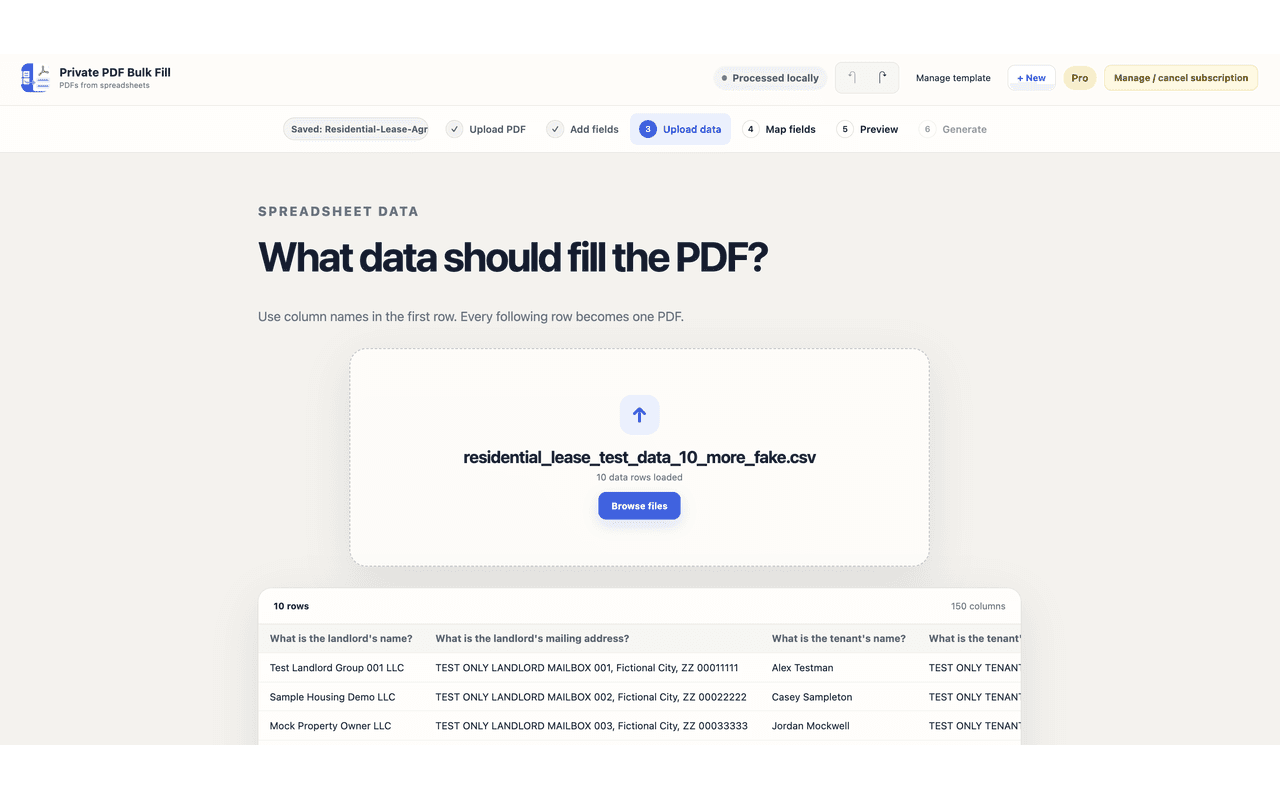
Upload a PDF template and review the form workspace before mapping data.
FAQ
Is it available in the Chrome Web Store?
Yes. Use the Add to Chrome button to open the listing.
Where can I get help?
Visit the support page for contact and troubleshooting details.
Related Products
Markdown Viewer
Markdown Viewer Pro opens a local document workspace for Markdown and common document formats in Chrome.
JSON Workbench
JSON Workbench helps developers format, minify, compare, and organize JSON snippets in Chrome.
Discord Digest AI
Understand long Discord conversations without losing the source context.