
Developer Tools
Markdown Viewer
View and browse Markdown documents from local folders with a rich sidebar, history, and table of contents.
- Status
- Add to Chrome
- Extension ID
- cnllddapefjbkddfmphhbbggkmfkkicm
- Repository
- md-viewer-chrome
- Publisher
- CRZ Entertainment
Overview
Markdown Viewer helps you read, organize, view, and export documents in Chrome. Open a local document workspace, browse folders, search files, pin favorites, view recent documents, switch themes, and export supported files. Documents stay on your device, while optional Pro billing uses hosted checkout and license verification.
Features
- Open local folders and browse supported documents
- View Markdown, text, HTML, Word, PDF, RTF, OpenDocument, and EPUB files
- Render GitHub-flavored Markdown with tables, task lists, and blockquotes
- Automatically highlight code blocks
- Render Mermaid diagrams and LaTeX equations
- Use a table of contents to navigate long documents
- Switch between dark and light themes
- Pin favorites and reopen recent files from history
- Search files by name across opened folders
- Copy content or export supported files as HTML or PDF
- Use the interface in supported languages
- Adjust file type filters, folder scan depth, recent tabs, zoom, theme, and language preference
Pricing
Free viewing features do not require an account. Optional Pro billing uses hosted checkout and license verification.
Privacy and Data Handling
Files are viewed locally and are not uploaded for rendering.
- Local viewing works offline after installation.
- No account is required for free viewing features.
- Network access is used only for optional Pro checkout, login, and license verification.
Screenshots
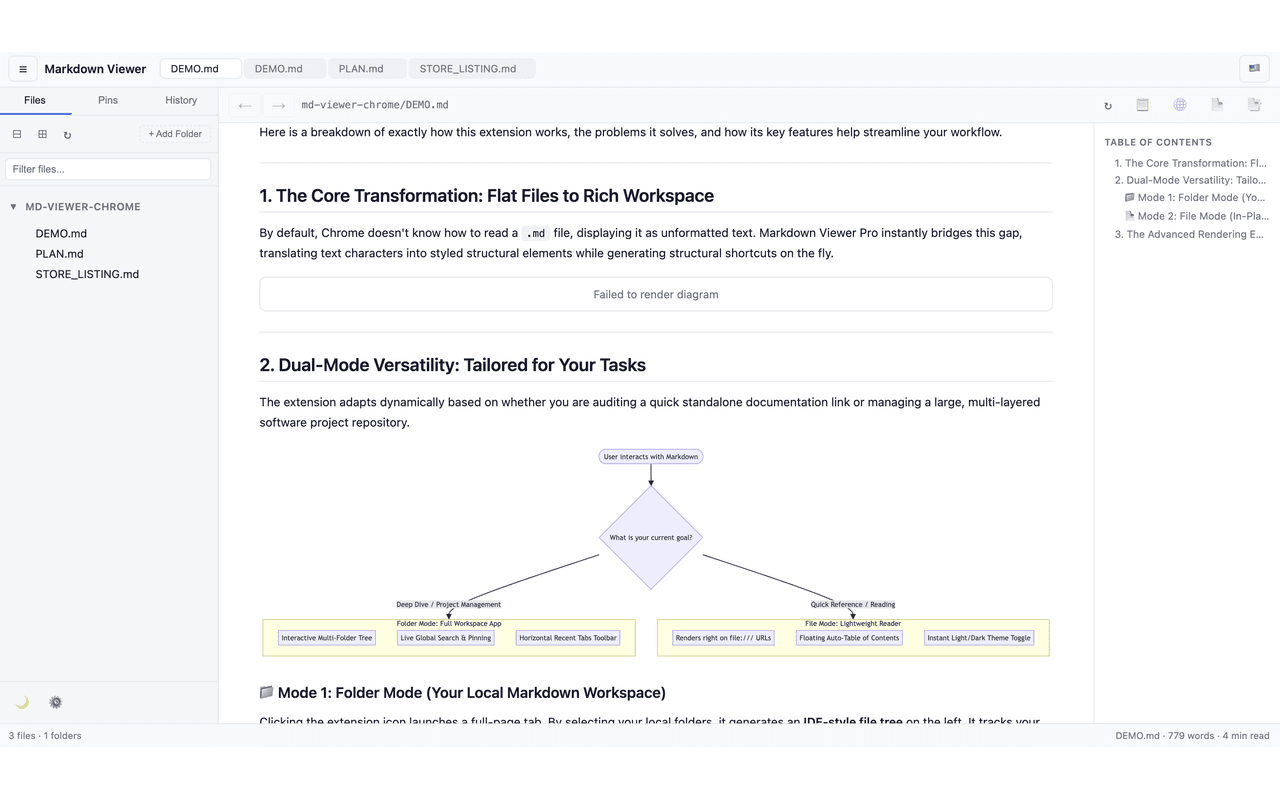
Local document workspace with Markdown preview and browsing tools.
FAQ
Is it available in the Chrome Web Store?
Yes. Use the Add to Chrome button to open the listing.
Where can I get help?
Visit the support page for contact and troubleshooting details.
Related Products
JSON Workbench
JSON Workbench helps developers format, minify, compare, and organize JSON snippets in Chrome.
Private PDF Bulk Fill
Create personalized PDF documents in bulk without uploading sensitive files to a server.
Discord Digest AI
Understand long Discord conversations without losing the source context.